
Windows 11 can run better on PCs with 8GB now, Microsoft says – here’s why
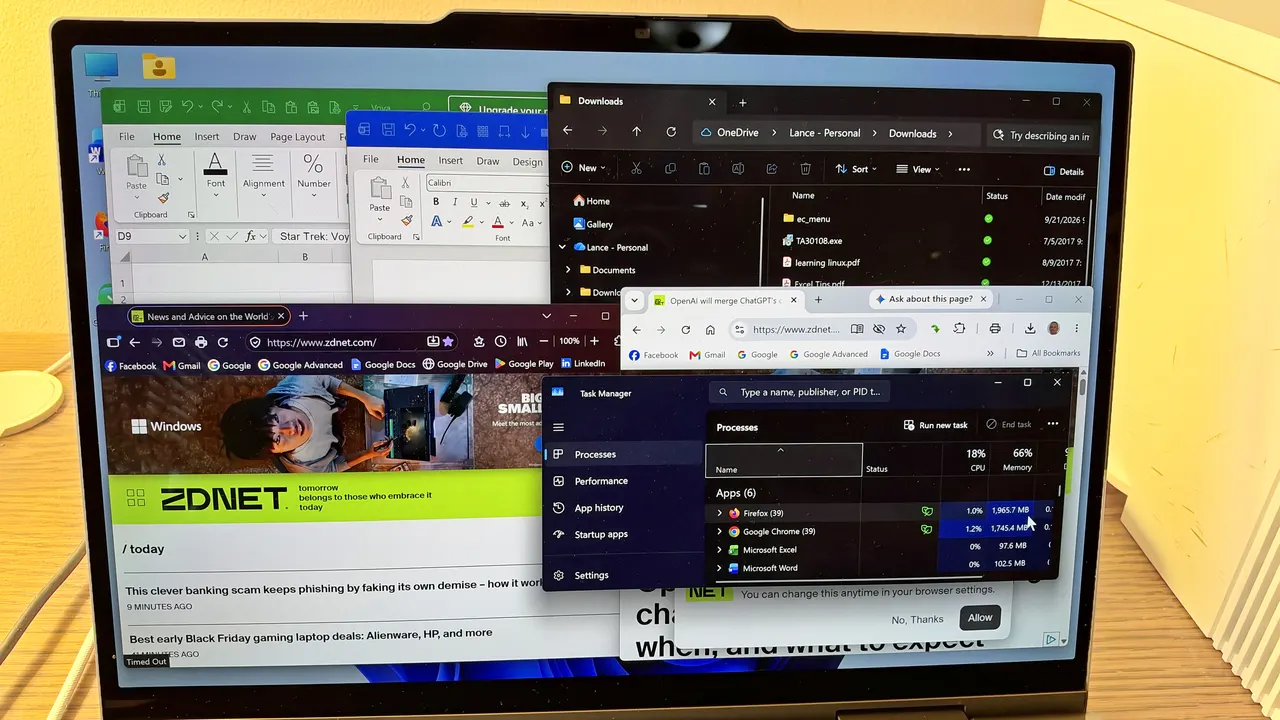
The latest updates to Windows 11 offer improvements in speed, performance, and memory management.
ZDNET’s key takeaways
- Microsoft touts speed and memory improvements in Windows 11.
- The enhancements are geared toward PCs with only 8GB of RAM.
- To see this in action, update your PC to the latest Windows 11 26H2 build.
The more memory your Windows PC has, the faster it should perform, especially when juggling multiple apps, files, and other data. My laptop has 32GB of RAM, while my desktop has a hefty 64GB, and both are absolutely zippy. Does that mean computers with only 8GB of memory, or even less, are also-rans? Nope, not according to Microsoft.
Also: How much RAM does your PC really need?
In a new blog post published Tuesday, Microsoft touted the gains in speed, performance, and memory management in Windows 11 achieved by the latest updates. These especially impact PCs with just 8GB of RAM, which can now run multiple apps and files faster and more efficiently than before.
More from ZDNET
To reach this goal, the company said it had three notions in mind.
The first was to make better use of the existing memory on each Windows 11 PC. The second was to protect the tasks that need to feel instant even as more memory gets used. And the third was to ensure that key apps and Windows require less memory. Yes, a computer with 16GB, 32GB, or 64GB of RAM can better handle more intensive activities. But Microsoft wanted to make sure that systems with 8GB could also keep pace.
Better use of existing memory
As more memory gets allocated, Windows must move inactive apps and files from RAM to the hard drive. When you need to access those apps and files again, you have to wait for Windows to move them from disk storage back to RAM. Normally, PCs with less memory have to do a lot of this disk swapping.
One way Windows eases the pain of this process is through compression. Here, the operating system shrinks less-active data into a smaller format so it can remain in memory. Though Windows has used compression for many years, Microsoft has fine-tuned the technology to determine how much to compress, when to move data from RAM to your drive, and when to fetch it back, especially on PCs with 8GB of memory.
Also: 5 apps I always install on new Windows PCs – most are free
As such, Windows can now keep up to 2GB more of your active data in memory rather than moving it to storage, Microsoft said. An inactive app, file, or browser that you leave open is less likely to have to reload from your hard drive when you return to it.
Protect the tasks that need to feel instant
Opening the Start menu, launching File Explorer, right-clicking a folder or file, and searching for an item are all tasks that need to feel instant; otherwise, Windows itself feels sluggish. To achieve this on PCs with less RAM, Windows tries to prioritize certain actions you need to accomplish while backing off background tasks like search indexing, Microsoft said.
Here’s one example. After you update your computer and reboot, Windows has some housekeeping to do. But any setup work that occurs shouldn’t affect how long it takes to open an app or file.
Also: How to upgrade your ‘incompatible’ Windows 10 PC to Windows 11 – for free
The latest version of Windows 11 speeds up these types of tasks and interactions by up to 20% compared with the January 2026 version, according to Microsoft.
However, multitasking places the greatest strain on a PC with only 8GB of RAM. To analyze this, Microsoft said it conducted two tests on the same PC with 8GB of memory. One test measured the current version of Windows 11, while the other gauged the January 2026 flavor. Here, the testers opened 20 tabs in Microsoft Edge, kicked off a 4K video, and launched large files in Word, PowerPoint, and Excel, one after another. The current version of Windows is up to 40% faster than its predecessor, the company said.
Ensure that key apps require less memory
To reduce the need for RAM among Windows and certain key apps, Microsoft said that it has improved how memory is managed and when it’s used.
As one example, memory is allocated to Word, PowerPoint, Excel, and Outlook more efficiently, resulting in a 360 MB savings in RAM. This maneuver also extends to third-party apps such as WhatsApp, which has reduced its memory requirements.
Also: 11 Windows apps I replace on every new PC (and the ones I keep)
On PCs with 8GB of memory, the Widgets app loads only when you open it and frees up about 200 MB of RAM when you close it. In Microsoft Edge, inactive tabs now go to sleep after 15 minutes, down from two hours previously, reducing overall memory allocation.
Across Windows, Microsoft 365, and Edge, those improvements reduced the growth in required memory by up to 900 MB, Microsoft said.
How does Microsoft test these scenarios to see whether the latest Windows updates and fixes are helping PCs with less memory?
“We test those fixes across a broader collection of over 20,000 PCs in our labs, including current 8 GB models, using automated workloads based on activities such as browsing, working in Microsoft 365 apps, joining video calls, and downloading files in the background and even using high-speed cameras to measure the time from an action, such as opening Start or launching an app, to the moment the result appears on screen,” the company explained.
Also: Why your RAM options cost 4X more now than last year
The ability to use Windows without much RAM on your PC is critical these days in light of the “RAMageddon” crisis. With AI companies scooping up massive amounts of memory and flash storage chips, remaining supply is limited, and the prices have surged. The more memory you add to a new or existing PC, the more you’re going to pay. That’s always been true, but now more than ever.
Of course, memory is only one part of the picture. Your PC’s processor and other hardware also play an important role. Here, Microsoft found that a 2026 Dell XPS 13 with 8GB of RAM showed 94% faster multi-core CPU performance than a 2021 8 GB model. But the same 2026 8GB PC performed on par with a 2021 16 GB system. This shows that memory does matter for multitasking, but that the processor also impacts performance.
Whether your Windows 11 PC has 8GB of RAM, less, or more, how can you take advantage of the latest enhancements? For that, you’ll want to make sure that you’ve updated to the newest version of Windows. That would be Windows 11 26H2, build 26300.9818 or later, according to Microsoft. But that includes the latest optional preview build released in late October. If you don’t want to install that one, you’ll be fine with build 26300.9711 for now.
Also: The best laptops: Expert tested and reviewed
To check, head to Settings, select System, and then click About. The section for Windows Info shows the current version and build. If you need to update, stay in Settings and go to Windows Update. Assuming your PC qualifies, you should find the latest Windows 11 26H2 build ready to install.
Beyond updating Windows, you also want to keep your apps current. If you use Microsoft 365, open any app in the suite, click the File menu, select Account, click Update Options, then select Update Now.
With most other apps, you have to update them manually or individually. To ease the process, consider a good software updater program. These will automatically scan most of your installed applications to identify which need updating, then download and install the updates for you.