
The Siri AI waitlist is gone in iOS 27: How to try the beta today
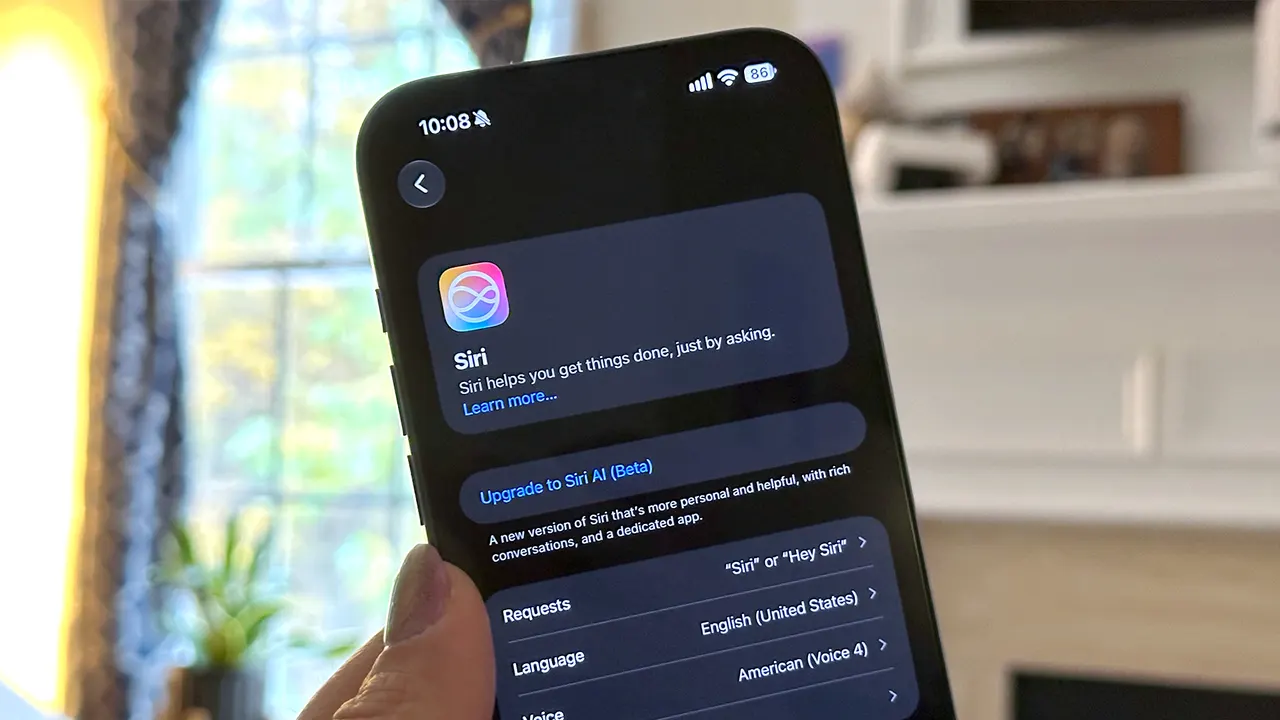
The wait is over for trying Siri AI on iOS 27. Here’s what you need to know to get started.
ZDNET’s key takeaways
- Apple just removed the waitlist for Siri AI on iOS 27.
- Compatible iPhone users can now enable Siri AI in beta.
- The only exception is when there is high server demand.
How to download Siri AI
You’ll need a compatible device that runs Apple Intelligence, like an iPhone (15 Pro or newer), iPad (Mini A17 Pro or newer or an M-series chip), Mac (MacBook Neo or M-series chip), Apple Watch (Series 9 and Ultra 2 or newer), or Apple Vision Pro.
- Ensure your iPhone or compatible device is running iOS 27.
- Go to your device’s Settings app.
- Scroll down until you find Siri, then tap on it.
- Tap Try Siri AI (Beta).
- Complete your setup by following the prompts.
Instead of adding you to a waitlist, Siri AI will begin downloading right away.
More from ZDNET
What can you do with Siri AI?
Siri AI is Apple’s upgraded virtual assistant, now powered by generative AI. Instead of giving you canned responses to your questions, Siri AI will be able to answer complex questions, understand more natural-sounding phrases, and maintain context throughout conversations and across your Apple ecosystem.
ZDNET’s Lance Whitney recommends using Siri AI’s onscreen awareness feature to ask it for directions, explain something you see on your phone’s screen, or to add items from your screen to a list. He also uses Siri AI to edit his photos simply by asking for the changes he wants. But that’s just skimming the surface. You can read more about Whitney’s experiences using Siri AI here.
Also: I thought I had Siri AI in iOS 27 – until I found it hidden in my settings
For years, Apple has been working to gain relevance in AI to compete with major players like OpenAI and Google. While Apple Intelligence features like Writing Tools, Genmoji, and Image Playground have helped, Apple has lagged far behind in upgrading its signature voice assistant to generative AI.
iOS 27 delivered Siri AI in beta this fall, along with iPadOS 27, MacOS 27 Golden Gate, VisionOS 27, and WatchOS 27.
Which Apple devices are compatible with Siri AI?
You need a compatible iPhone, iPad, Mac, Apple Watch, or Apple Vision Pro to use Apple Intelligence features like Siri AI. Not all Apple devices that support the latest iOS 27 (or other OS 27) will support Siri AI.
Here are the Apple devices that support Siri AI:
- iPhone 15 Pro & Pro Max
- iPhone 16 models
- iPhone 17 models
- iPhone 18 models
- iPhone Air
- iPhone Duo
- iPad mini A17 Pro
- iPad mini A20 Pro
- iPad Air M1 or newer
- iPad Pro M1 or newer
- MacBook Neo
- MacBook M1 or newer
- Mac M1 or newer
- Apple Watch Series 9
- Apple Watch Series 10
- Apple Watch Series 11
- Apple Watch Series 12
- Apple Watch SE 3
- Apple Watch Ultra 2
- Apple Watch Ultra 3
- Apple Vision Pro
You also need to have your device in a supported language (English, French, Japanese, Korean, Portuguese, or Spanish) and to reside in a supported region (not available in mainland China or in iOS, iPadOS, or WatchOS in the European Union).