
Apple’s latest watchOS beta includes its new always-on Audio Intelligence features
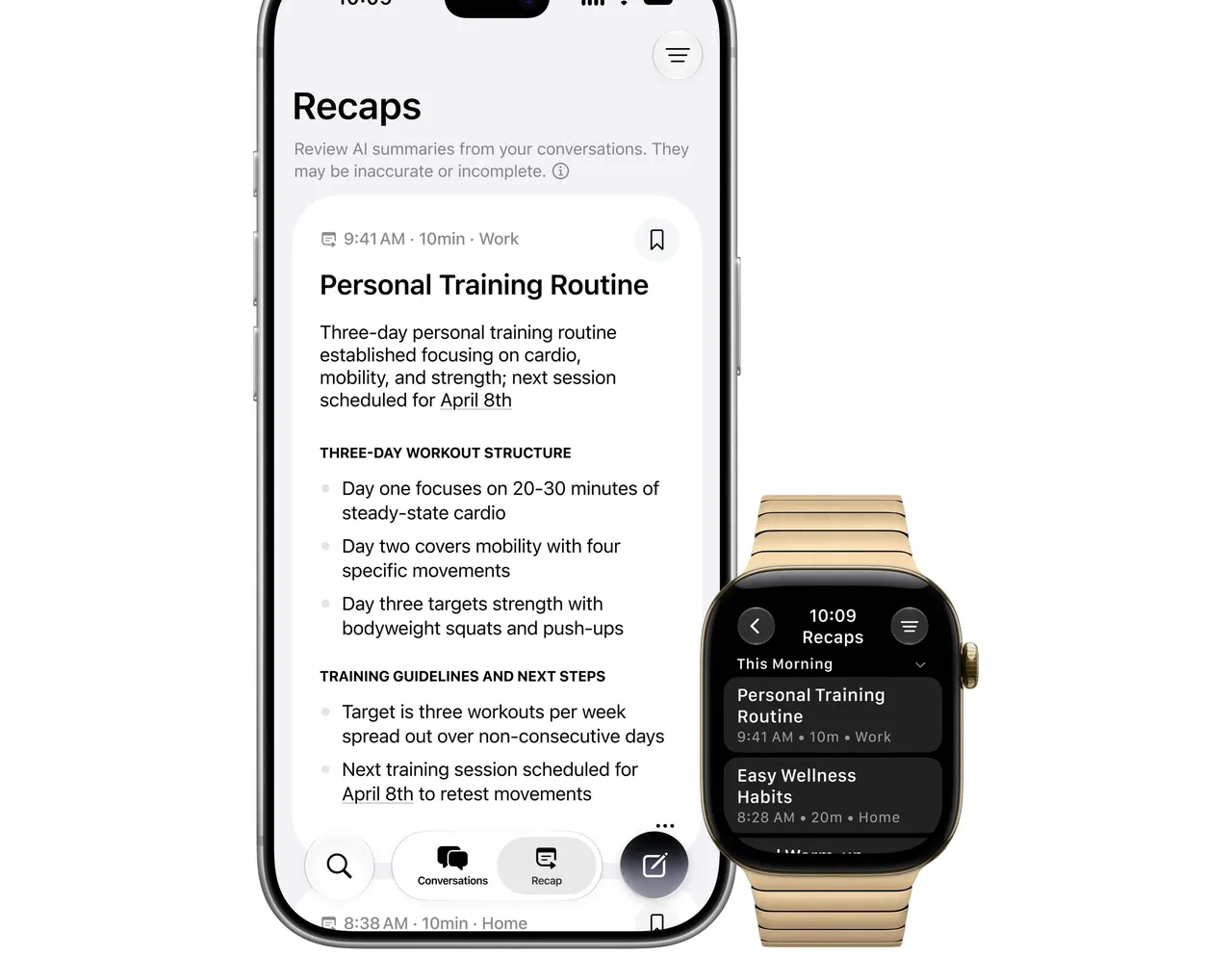
Starting today, Siri can tune into the Apple Watch's mic with Audio Intelligence features that are available in the new watchOS 27.3 developer beta rolling out now. The two new additions are Siri Recap, which uses "ambient listening" to generate summaries of your conversation, and Live Rewind, which generates text transcripts of the last 15 seconds of audio your watch's mic detected. Apple : Live Rewind, which can…
Starting today, Siri can tune into the Apple Watch’s mic with Audio Intelligence features that are available in the new watchOS 27.3 developer beta rolling out now. The two new additions are Siri Recap, which uses “ambient listening” to generate summaries of your conversation, and Live Rewind, which generates text transcripts of the last 15 seconds of audio your watch’s mic detected.
Apple’s latest watchOS beta includes its new always-on Audio Intelligence features
Audio Intelligence lets Siri ‘rewind’ and summarize audio from your Watch’s mic.
- Live Rewind, which can help users recall what was just said in conversation. A double-press of the Digital Crown shows the previous 15 seconds of a conversation as a text snippet, so the user can catch something they may have missed or are less familiar with. Users can ask Siri about the content of the text or save it to the Siri app to revisit later.
- Siri Recap, which can create high-level summaries of conversations that users can review later to jog their memory. When Siri Recap is turned on, after a conversation, Apple Intelligence automatically generates a title and key points in the new Siri app, allowing users to be more present and engaged in the moment.
When it comes to the implications of an ambient, always-listening AI, Apple has released this Audio Intelligence
Privacy Overview (pdf) about how it plans to protect users’ privacy when their watch is listening around the clock. It goes into detail about Apple’s claims that users’ raw audio “is handled within dedicated hardware, is not saved as a file, and is not accessible to the operating system, apps, or Apple.” According to Apple, “If you use iCloud with two-factor authentication and have a device passcode, any Siri Recap summary or Live Rewind text snippet you choose to save syncs across your devices end-to-end encrypted in the Siri app.”